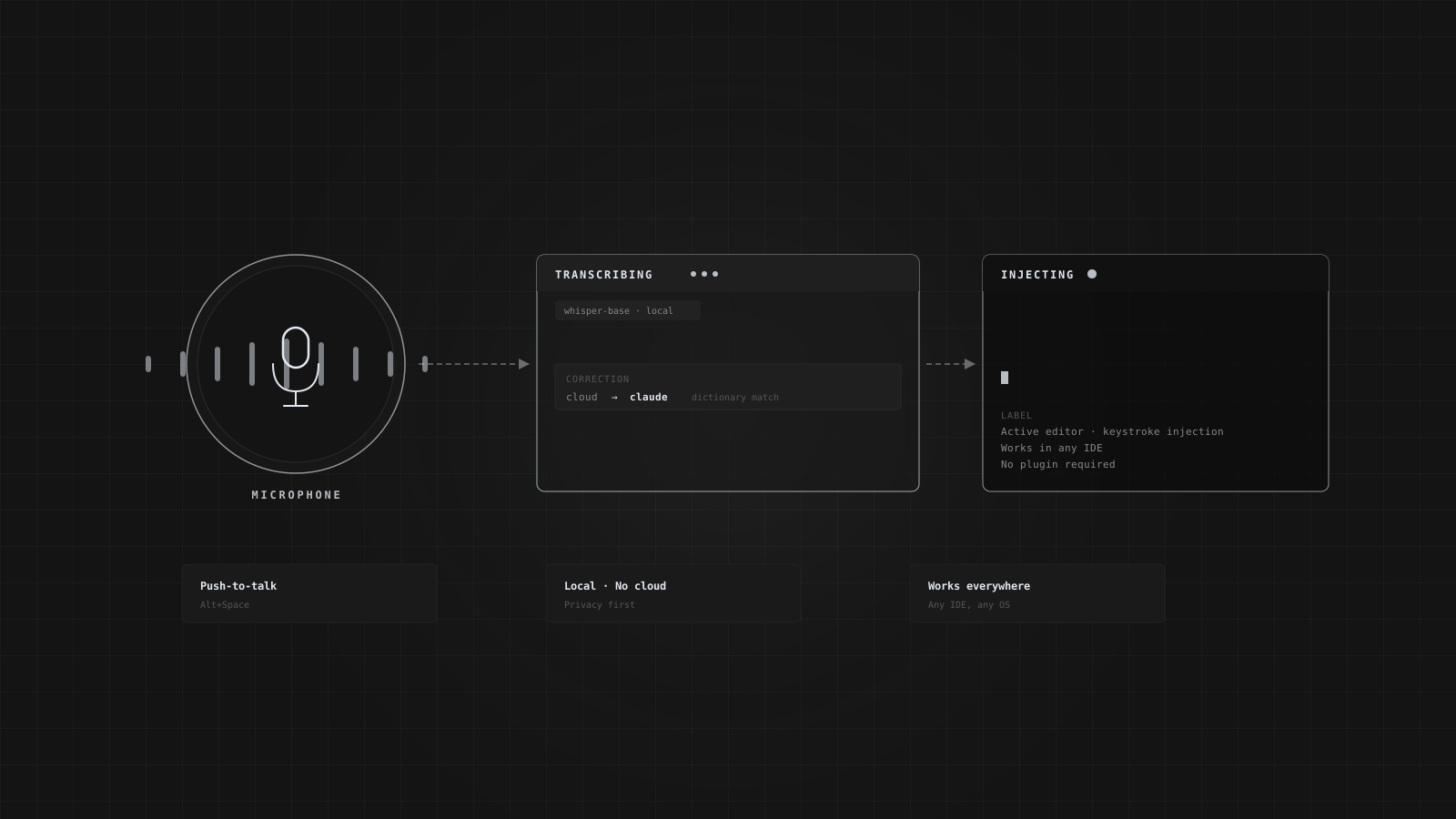
How MeshVoice works
MeshVoice captures audio, transcribes it locally or via cloud, applies your custom replacements, and injects the result directly into whatever app has focus — all in under a second.
Hold your hotkey and speak
Press and hold your configured global hotkey (default: Alt+Space) to start recording. MeshVoice captures audio from your microphone using the cpal library, which supports every sample format your hardware produces — F32, I16, U16, I8, and more.
Multi-channel input is mixed down to mono by averaging frames. The raw samples are accumulated in a shared buffer. Release the hotkey (push-to-talk) or press again (toggle mode) to stop recording and trigger transcription.
Local inference or cloud — your choice
MeshVoice resamples your audio to 16kHz (the rate whisper.cpp requires) using linear interpolation, then passes it to the transcription engine. In local mode, it runs the bundled whisper-cli binary as a subprocess with no window. In cloud mode, it sends the WAV to Groq's Whisper Large v3 API.
Download models directly from the Settings page. The Base model (142MB) is the recommended starting point — fast enough for real-time use, accurate enough for technical vocabulary.
Fix what Whisper gets wrong
Whisper frequently mishears technical terms, names, and product names. The custom dictionary lets you define replacements that run on every transcription before the text is injected.
Matching is case-insensitive and word-boundary aware — so cloud rewrites Cloud but not cloudy. Slash-separated alternatives let you cover multiple mishearings with one entry: shree/shri/shiree → shrey. The casing of the matched text is preserved on the replacement — if Whisper capitalised the first word, the replacement is capitalised too.
Text appears where your cursor is
The primary injection path uses Win32 SendInput with KEYEVENTF_UNICODE, which writes characters directly into the focused window via WM_CHAR messages. This works in classic cmd.exe, PowerShell, Windows Terminal, VS Code terminals, Notepad, browsers, and IDE editors.
If SendInput is blocked (elevated windows, UIPI restrictions), MeshVoice falls back to clipboard paste. For mintty and Git Bash, which ignore Ctrl+V, it tries Shift+Insert. Your clipboard contents are always preserved and restored after the paste completes.
Everything in one app
Runs entirely on your machine
Local whisper.cpp inference means your audio never leaves your device. No subscription required for local mode.
Works in every app
cmd.exe, PowerShell, Windows Terminal, VS Code, browsers, Slack, Notion, any text field. If it accepts keyboard input, MeshVoice works in it.
Custom dictionary
Case-insensitive, word-boundary matching with slash alternatives. Fix every term Whisper consistently gets wrong.
Configurable hotkey
Set any key combination as your global hotkey. Push-to-talk or toggle mode. Re-registers live without restarting the app.
Transcription history
Every session is saved with word count, duration, source (local or cloud), and a WAV recording you can play back.
Multilingual support
The Small, Medium, and Large models support multilingual transcription. The Groq cloud path uses Whisper Large v3 with full language coverage.
Stop switching apps to dictate.
Download MeshVoice and speak directly into your workflow.