The desktop IDE built
for AI-native development.
MeshSpace is a complete desktop environment — persistent terminals, a built-in code editor, an in-app browser, a live Kanban board, and a notification system — all in one window, all connected to MeshMCP.
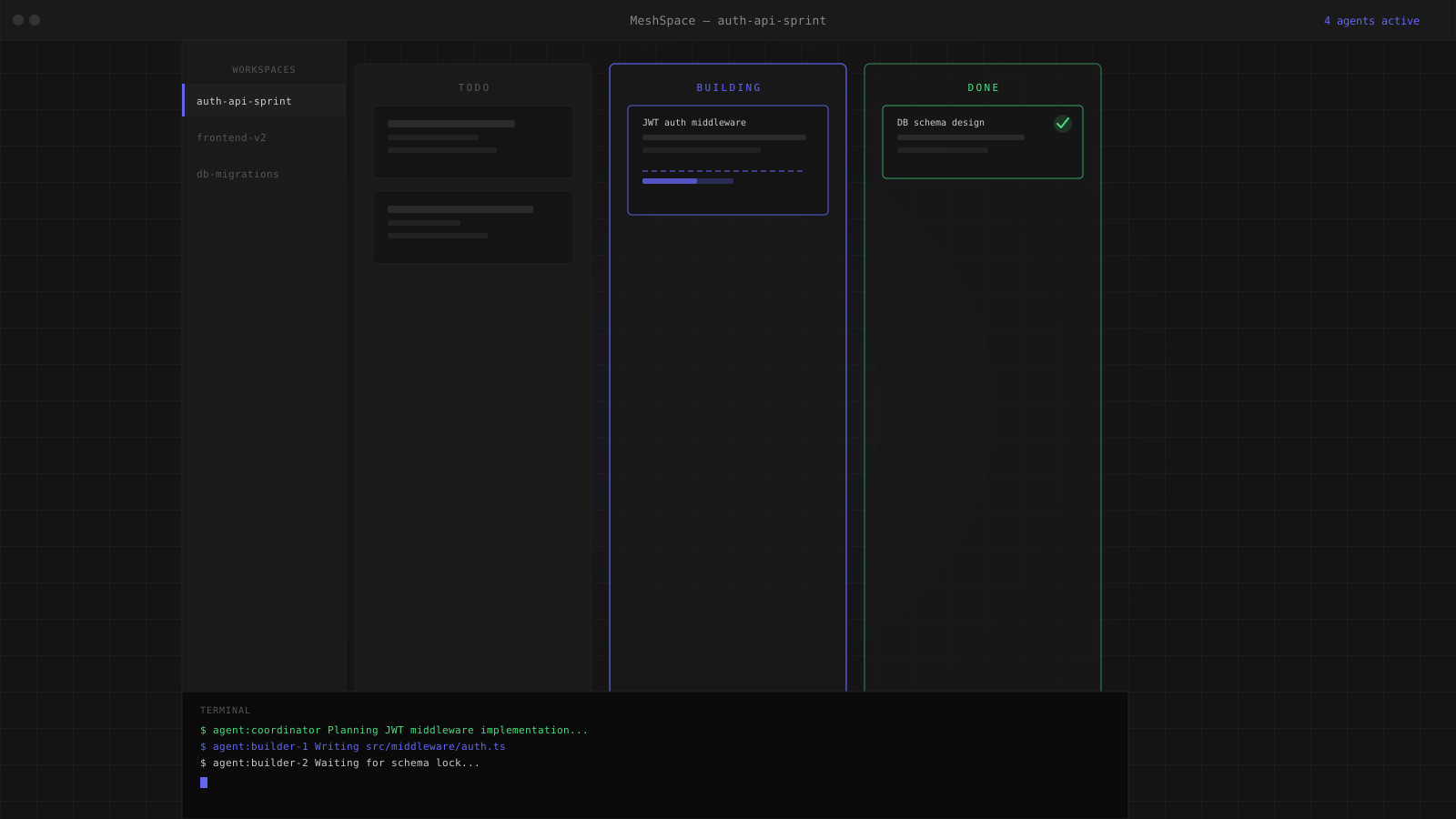
One window. Everything you need.
MeshSpace replaces the scattered collection of tools most developers use — terminal emulator, code editor, browser, task tracker — with a single desktop app that keeps them all in sync.
Persistent terminal sessions that never die
Every terminal in MeshSpace is backed by a Rust PTY server. Sessions stay alive when you navigate between workspaces, switch tabs, or close and reopen the app. A long-running build, a dev server, or an AI agent mid-task — none of them are interrupted.
Each workspace can hold multiple terminal panes. When a swarm is running, each agent gets its own dedicated pane so you can watch every agent's output independently. Terminals glow with a heartbeat effect when active and pulse when they complete work.
- —xterm.js rendering with full ANSI colour support
- —Sessions persist across navigation and workspace switching
- —Per-terminal status glow: working, done, blocked, error
- —Drag skills directly onto a terminal to inject instructions
A full code editor, built in
MeshSpace includes a CodeMirror 6 editor with syntax highlighting for every major language. Open any file from your project directory, edit it, and save — without switching to VS Code or another editor.
The editor reads your active theme from MeshSpace settings and updates its colour scheme to match. Multi-file tabs, a folder tree, and a file search panel let you navigate large codebases without leaving the app.
- —CodeMirror 6 with theme-aware syntax highlighting
- —Multi-file tabs and folder tree navigation
- —Updates colour scheme when you change the app theme
- —Reads directly from your project directory on disk
Preview your project without leaving MeshSpace
MeshSpace includes a full browser pane powered by WebView2. Point it at your local dev server, an HTML file, or any URL and preview your project alongside your terminals and editor — no alt-tab required.
When a swarm is running a dev server in a terminal, MeshSpace can detect the port and open the browser pane automatically. Agents can reference the running preview when making UI decisions.
- —Full WebView2 browser embedded in the workspace
- —Auto-detects dev server port from terminal output
- —Supports local files, localhost, and remote URLs
- —Lives alongside terminals and editor in the same window
Run multiple projects simultaneously
Each workspace in MeshSpace is an isolated environment with its own terminals, editor state, browser pane, and Kanban board. Switch between them from the sidebar without losing any context — every session stays alive in the background.
The sidebar shows the live status of every workspace. A green dot means a swarm completed. A pulsing blue dot means agents are actively working. If a workspace needs your attention, the sidebar item glows to route you there.
- —Unlimited workspaces, each fully isolated
- —Live status indicators on every sidebar item
- —Attention routing — sidebar glows when a swarm completes
- —Switch workspaces without interrupting any running process
Every surface, connected
MeshSpace is designed so every panel knows what the others are doing.
Persistent terminals
Rust PTY server keeps sessions alive across navigation. Each agent gets its own pane. Status glow shows working, done, blocked, or error at a glance.
Built-in editor
CodeMirror 6 with syntax highlighting, multi-file tabs, folder tree, and theme sync. Edit any file in your project without leaving MeshSpace.
Built-in browser
Full WebView2 browser pane. Preview your dev server, local HTML files, or any URL alongside your terminals and editor.
Live Kanban board
Task cards move columns in real time via SSE. Click any card for the full activity log, status history, assigned agent, and files owned.
Notification system
Heartbeat glow on terminals and sidebar items. Audio chime on completion. Desktop notification. Configurable per-event in Settings.
Multiple workspaces
Each workspace is fully isolated with its own terminals, editor, browser, and board. Run multiple swarms simultaneously without interference.
Themes and settings
Switch between dark themes from the Settings panel. The editor, terminals, and UI all update together. Notification preferences, MCP key management, and hotkeys all in one place.
MeshSwarm inside
MeshSpace is the shell. MeshSwarm is the engine. Launch a swarm from any workspace and the full agent pipeline runs inside MeshSpace's terminal panes.
One window. Your entire dev environment.
Download MeshSpace and stop switching between tools.